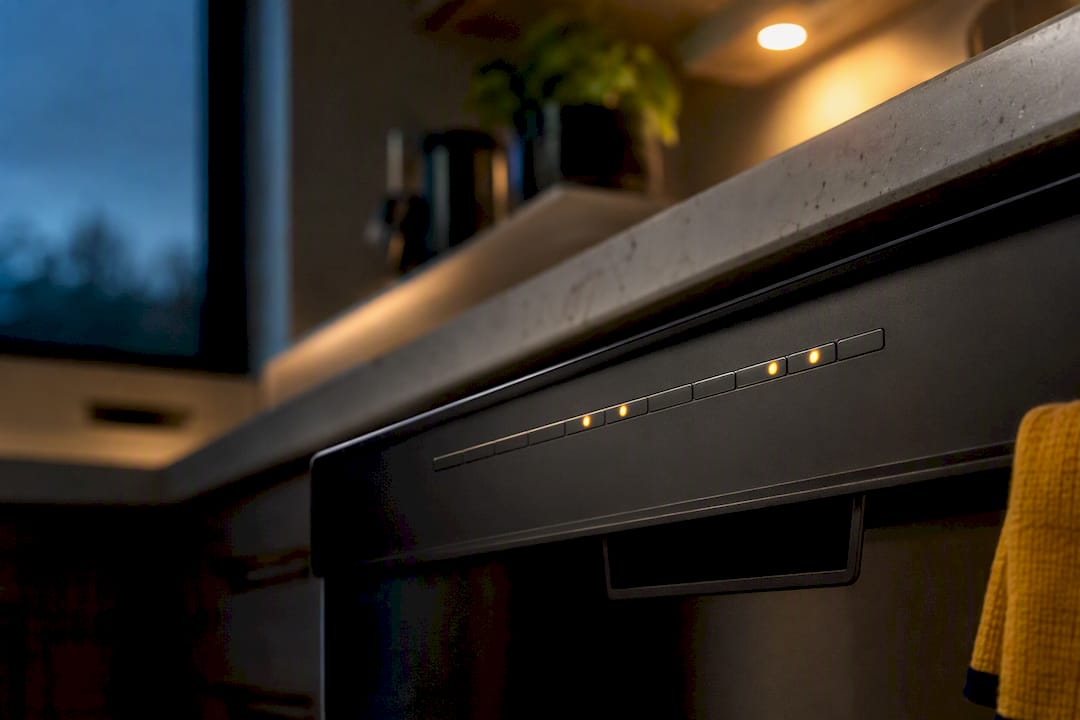
Most flashing dishwasher lights point to one of three things: a door that isn’t fully latched, a reset that’s already in progress, or a fault the control board is trying to flag. Start with the cheap fixes. Make sure the door is latched shut, press Start/Reset or Cancel, and if that doesn’t clear it, cut power at the breaker for a few minutes. If the machine stopped mid-cycle, water is sitting in the tub, or the lights keep blinking after a reset, stop troubleshooting and get a technician on the schedule.
TL;DR:
- Most flashing dishwasher lights indicate a door that isn’t fully latched, a reset in progress, or a control board fault, but some are normal signals like delayed start or cycle progress.
- Resetting a dishwasher by checking the door latch, canceling delays, and power cycling usually resolves common issues within five minutes, but repeated resets may hide component failures.
- Blinking error codes are often related to the control board, door latch switch, water inlet, drain pump, or heating element, with the exact meaning varying by brand and model.
- Diagnostics involve unplugging the power, testing the door latch, water supply, drain function, and certain components with a multimeter, focusing on symptoms and blink patterns.
- If issues persist after simple resets or if water leaks, burning smells, or error codes remain, calling a professional technician ensures proper repair and prevents further damage.
Table of Contents
- What Causes Dishwasher Lights to Flash?
- How Do I Reset a Dishwasher That’s Blinking?
- How Do I Read Dishwasher Error Codes?
- What Diagnostic Tests Can I Run at Home?
- What Should You Never Do When Troubleshooting?
- When Should You Call a Technician?
- What Repair Techs Wish Homeowners Knew
- Get Your Dishwasher Diagnosed and Fixed Right the First Time
- Where to Find Official Dishwasher Error Code Information
- Sources
- FAQ
What Causes Dishwasher Lights to Flash?
A blinking light is the control board’s way of talking to you. The trick is to figure out whether it’s saying “everything’s fine, just wait” or “something broke.” Here’s how to sort that out.
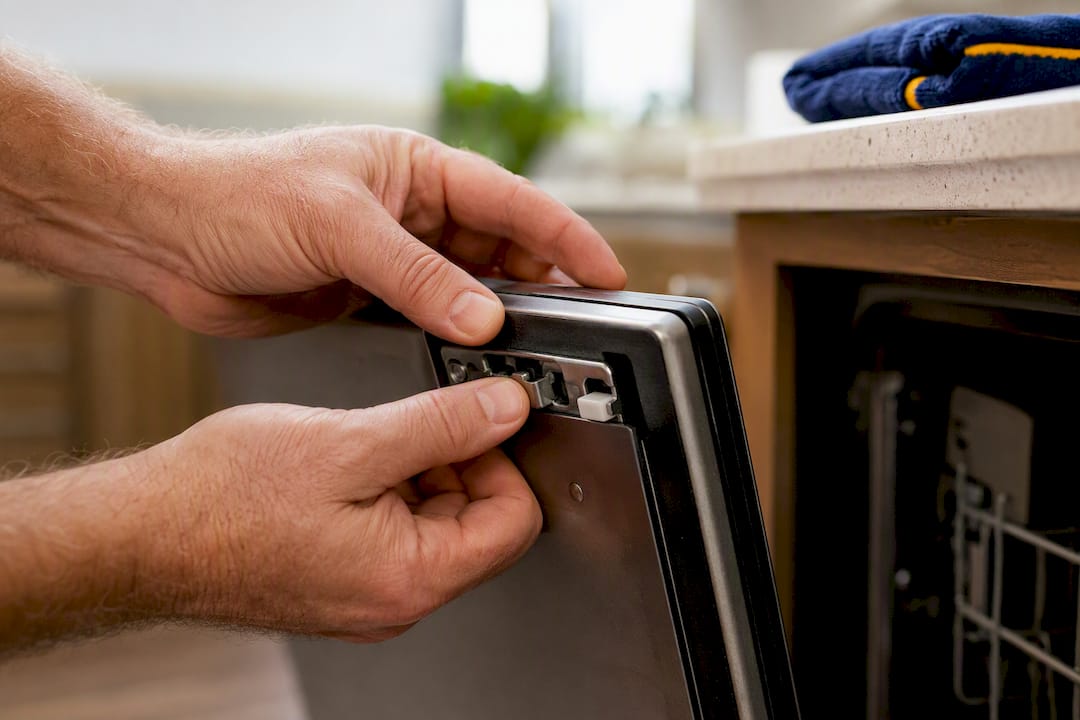
Door latch problems are the single most common reason a dishwasher won’t start and starts blinking instead. If the door isn’t pushed shut hard enough to trigger the latch switch, the control board won’t let the cycle begin, and on most models it signals that with a flashing light or a beep. Sometimes it’s obvious, a door that swings open on its own. Other times the latch looks closed but a worn switch inside isn’t making contact.
Not every blink is bad news. Some flashing is completely normal: a countdown for a delayed start, a status light marking cycle progress, or a manufacturer’s way of confirming the machine received your button press. GE’s support documentation specifically notes that blinking lights or beeping sounds don’t automatically mean something’s wrong, and recommends checking the owner’s manual before assuming a fault.
Power problems cause their share of confusion, too. A brief surge, a brownout, or even a nearby breaker tripping can knock the control board into a fault state that has nothing to do with a broken part. The board essentially loses track of where it was in the cycle and flashes an error until you reset it.
Then there are the actual component failures. Repair data compiled by RepairClinic lists the usual suspects behind persistent flashing:
- User control and display board (the panel itself glitching)
- Main control board (the “brain” of the machine)
- Door latch switch (won’t confirm the door is closed)
- Water inlet valve (fails to fill or overfills)
- Drain pump (won’t clear water between cycles)
- Heating element (fails a self-check during the cycle)
One detail worth knowing: on dishwashers without a numeric code display, the exact blink combination is often the only clue you have. Being able to describe that pattern accurately can speed up diagnosis considerably once a technician gets involved.
How Do I Reset a Dishwasher That’s Blinking?
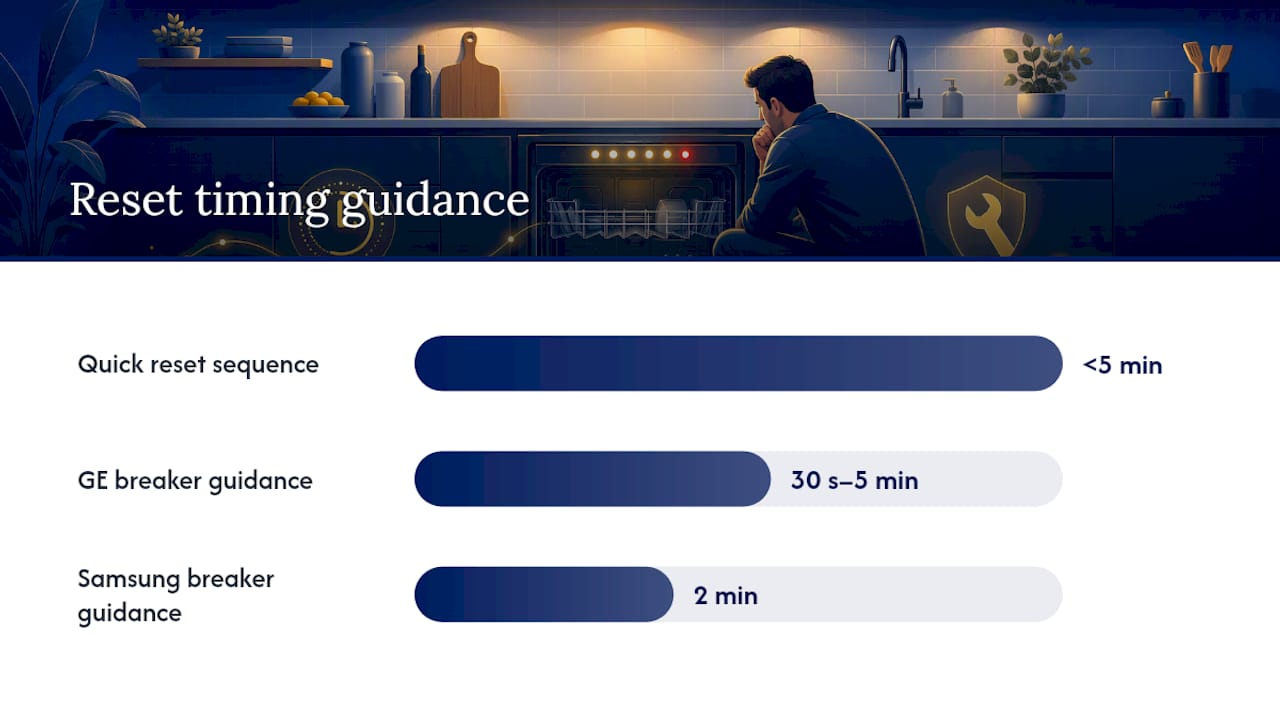
Before you assume a part failed, run through this sequence. It takes less than five minutes and solves the problem more often than people expect.
- Check the door first. Push it firmly closed until you hear or feel the latch engage. A door that looks shut but isn’t fully latched is the number one false alarm in dishwasher troubleshooting.
- Cancel any delayed start. If you or someone else accidentally set a delay timer, the blinking is just a countdown. Hit Cancel or Delay Cancel to clear it.
- Press Start/Reset (or Cancel) and wait. Hold it for the interval your manual specifies, Electrolux recommends this as the first move when a program won’t start and the indicator light is flashing.
- If that doesn’t work, kill the power at the breaker. Flip it off and leave it off. Manufacturer guidance varies here. GE’s documentation suggests 30 seconds up to five minutes depending on the model, while Samsung recommends a full two minutes for communication errors specifically.
- Restore power and run a short test cycle. Watch closely to see if the same light pattern comes back.
Pro Tip: Write down the exact flash pattern before you reset anything. Resetting clears the code from the board’s memory, and if the fault comes back, you’ll want that pattern to compare against.
If the same error returns after two or three resets, stop resetting. Repeated hard resets can mask a failing control board rather than fix anything, and you’re just delaying a repair that’s coming anyway.
How Do I Read Dishwasher Error Codes?
Most modern dishwashers without a text screen communicate faults through a two-part flash sequence: one set of flashes for the function number, a short pause, then a second set for the error number. Whirlpool’s own documentation lays out the method clearly. Count the first burst of flashes, note the number, wait through a one to two second pause, then count the second burst.
Here’s the classic example: seven flashes, a pause, then one flash translates to F7-E1. That’s function 7, error 1, and depending on the brand, it typically points to a problem in the water system or a control communication fault.
A few patterns to watch for:
- Repeated short bursts with no pause usually means a normal status signal, not an error.
- Long, evenly spaced flash sets almost always indicate the control board is reporting an actual fault code.
- A single light flashing rapidly while others stay solid often flags a communication problem between the main control board and the user interface.
- All lights flashing together frequently signals a keypad or touchpad short, something Frigidaire specifically calls out as a cause worth ruling out before assuming a bigger failure.
The exact number-to-meaning mapping is brand-specific and sometimes model-specific within the same brand. Your owner’s manual has the definitive table, and if you’ve lost it, the manufacturer’s support site is the next best source. Guessing at what F9-E1 means on your particular model wastes time. Looking it up takes thirty seconds.
What Diagnostic Tests Can I Run at Home?
Before you open a panel, cut power at the breaker. Not the wall switch, not the dishwasher’s own controls, the breaker. Dishwashers have exposed wiring behind their kick plates, and a multimeter test on a live circuit is how people get hurt or fry a meter.
Once power is confirmed off, here’s a reasonable sequence to work through:
- Check the door latch mechanism. Open and close the door slowly and listen for a distinct click. If you don’t hear one, the latch may be misaligned or the switch inside may have failed.
- Test the latch switch with a multimeter. Set it to continuity mode. A functioning switch should show continuity when the door is closed and none when it’s open. No change either way usually means a bad switch.
- Confirm your water supply. Check that the shutoff valve under the sink is fully open and the supply line isn’t kinked. A dishwasher that can’t fill will often flash a fault code that looks like a control problem but isn’t.
- Run an empty drain test. Start a drain-only cycle if your model has one, and listen for the pump motor. Silence or a struggling hum usually means a clog or a failing pump.
- Pull and inspect the filter and drain hose. Food debris built up in the filter basket is one of the most common, and cheapest, fixes for a “flashing after it stops mid-cycle” complaint.
- Test the heating element and pump motors for continuity. A heating element that shows no continuity at all has failed. Pumps that show continuity but don’t run when powered usually have a mechanical jam, not an electrical one.
A reliable diagnostic sequence technicians actually use follows this same order: reproduce the symptom, read the code or blink pattern, test the door switch, check the inlet valve, check the drain pump, then isolate the control boards last, since those are the most expensive and hardest to diagnose without proper equipment.
Pro Tip: If the fault only shows up occasionally instead of every single cycle, that intermittent behavior is a strong hint you’re dealing with a control board or wiring connection issue rather than a straightforward part failure. Those are notoriously hard to chase down without a meter and some patience.
What Should You Never Do When Troubleshooting?
Opening the wrong panel or swapping in the wrong part can cost you more than the repair would have. A few things to keep in mind before you grab a screwdriver.
- Replacing sealed components yourself, like the heating element or the control board, commonly voids the manufacturer’s warranty, especially if you’re not using an authorized replacement part.
- Stop immediately if you see active water leaking, smell anything burning, notice sparking near the control panel, or the same error code keeps returning after multiple resets. Maytag’s product help documentation notes that certain codes, leak detection among them, cancel the cycle automatically and require professional service.
- Write down the exact model number, the flash pattern you observed, and every step you already tried before calling anyone. That single piece of prep work often saves a technician an entire diagnostic visit.
Documenting the problem well is genuinely the difference between a same-day fix and a return trip.
When Should You Call a Technician?
Call for service right away if the dishwasher stops mid-cycle with standing water in the tub, you spot a leak anywhere around the base, you smell anything burning, or the same error code returns after you’ve tried the reset steps above. Those aren’t situations to keep experimenting with.
When a technician arrives, expect a fairly methodical process. They’ll read the exact code or blink pattern, then test the components most likely tied to it: the door latch switch, the inlet valve, the drain pump, and the heating element, along with the wiring that connects the control boards. Communication faults between the user interface and the main board take longer to isolate since they don’t always show up on the first test.
After diagnosis, you should get:
- A written quote before any repair work starts, not after
- Clear identification of which part is likely failing and why
- Information on parts availability if something needs to be ordered
- A warranty covering both the part and the labor
That last point matters more than people think. Another Cycle Appliance Repair backs every job with a one-year warranty on parts and labor, so if the same fault resurfaces, you’re not paying twice for the same fix.
What Repair Techs Wish Homeowners Knew
The mistake I see discussed most often in the repair world is the endless reset loop. Someone hits power off and on five or six times over a week, the light stops flashing for an hour, then comes back, and by the time a technician shows up there’s no record of what the original pattern even looked like. A control board that’s intermittently failing doesn’t announce itself politely. It fades in and out, and every reset erases the clue.
The second habit worth breaking is skipping the door latch check because “the door’s obviously closed.” Alignment drifts over years of use. A latch that closes with a soft click instead of a firm one is often the actual problem, not a mystery electrical fault.
Before you schedule a visit, gather three things: the model number, a photo of the control panel, and a written note of the exact flash pattern. Experienced appliance repair professionals emphasize that thorough prep and clear communication help ensure efficient, same-day fixes.
Get Your Dishwasher Diagnosed and Fixed Right the First Time
If the reset steps and home diagnostics above didn’t clear the flashing, you’re likely looking at a part that needs replacing, not another troubleshooting attempt. Some local appliance repair services offer in-home dishwasher diagnosis and repair with transparent pricing and warranties on parts and labor, helping customers avoid uncertainty about repair costs and reliability.
Booking a visit is straightforward. A technician comes out, reads the exact fault, and gives you a quote before touching anything. Common replacements include the control board, the door latch assembly, or the drain pump, depending on what testing turns up. Before your appointment, grab your model number and jot down the flash pattern you’re seeing. That prep alone often shaves real time off the visit. Check service coverage for your town and get your dishwasher repair scheduled.
Where to Find Official Dishwasher Error Code Information
Your owner’s manual is the authoritative source for exactly what your model’s flash pattern means, but if it’s long gone, manufacturer support pages fill the gap:
- GE Appliances support for blinking light and beeping explanations
- Whirlpool product help for reading two-part error codes
- Samsung Support for models using blink combinations instead of a display
- Maytag’s error code library for leak-detection and cycle-cancel codes
- RepairClinic’s troubleshooting guide for a broader parts-based breakdown
Sources
- Dishwasher – Blinking Lights or Beeping Sounds
- Dishwasher error codes – Reading
- Lights are blinking on the Samsung dishwasher
- Dishwasher lights flashing or blinking | Repair Clinic
FAQ
How Do You Hard Reset a Dishwasher?
Turn off power at the circuit breaker, not just the wall switch, and leave it off for 30 seconds to 5 minutes depending on your model, per GE’s guidance. Restore power and run a short test cycle to see if the fault clears.
Why Does My Dishwasher Stop Mid-Cycle With the Lights Blinking?
This usually means the control board detected a problem it can’t safely continue past, commonly a water sensing issue, a drain problem, or a door latch that lost contact during the cycle. Certain leak-detection codes specifically cancel the cycle automatically and require a technician, according to Maytag’s product help.
Why Are Two Lights Flashing on My Dishwasher Together?
Many models use two-light combinations to encode a specific function and error number rather than one single fault. Count the flashes in each light’s pattern and check them against your model’s error code table, since the same two-light combination means different things across brands.
My Dishwasher Lights Up but Doesn’t Start. What’s Wrong?
The most common cause is a door that isn’t fully latched, which lets power reach the panel but blocks the cycle from beginning. Also rule out a delayed start setting before assuming it’s a mechanical fault, since a countdown will light up the panel without starting the wash.
Is It Safe to Keep Using a Dishwasher With Flashing Lights?
If it stopped mid-cycle with water sitting in the tub, or you notice a burning smell, stop using it and turn off the breaker until a technician checks it out. If the flashing is just a normal status indicator and the cycle finished fine, it’s generally safe to keep running.